Home cinema & audioPortable projectors
Aurzen ZIP vs ZIP Pro - Which Tri-Fold Projector to Buy
Aurzen ZIP or ZIP Pro? Compare ports, wired and wireless video, battery and charger needs, and Aurzen's stated streaming limits, from Aurzen's own pages.
By AffteraPublished Last researched Research-based guide
The short answer
2 picks · specifications captured 17 Nov 2026
ZIP · HDMI source
ZIP with the original CastPlay is one HDMI path Aurzen documents · Price not covered here
ZIP Pro · USB-C DP Alt Mode device
Aurzen's pages point to ZIP Pro for a cable, if your device's USB-C port supports DisplayPort Alt Mode video output · Price not covered here
No scraped ratings. Not tested hands-on.
Aurzen lists ZIP at 280g (9.88oz). See the maker's specifications.
The shortlist
Your shortlist.
Aurzen ZIP
On Aurzen's pages, ZIP takes power over USB-C and gets video wirelessly. Wi-Fi-free screen mirroring, with a ZIP page note that Google Cast-enabled devices (Pixel, Motorola phones, Chromebooks) are not compatible. Neither projector comes with streaming apps built in, per Aurzen, so protected apps depend on the device you connect and how you connect it.
- Fits
- ZIP with the original CastPlay is one HDMI path Aurzen documents
- Price band
- Price not covered here
Specifications captured 17 Nov 2026. Check the current price at the merchant.
Commissions may be earned. Disclosure
Aurzen ZIP Pro
Aurzen lists ZIP Pro at native 1080p against ZIP's 720p. ZIP Pro carries the longer battery rating, up to 150 minutes in ECO Mode in Aurzen's 25°C lab test, while ZIP's rating states no test conditions.
- Fits
- Aurzen's pages point to ZIP Pro for a cable, if your device's USB-C port supports DisplayPort Alt Mode video output
- Price band
- Price not covered here
Specifications captured 17 Nov 2026. Check the current price at the merchant.
Commissions may be earned. Disclosure
Specifications from the maker's own pages, captured 17 Nov 2026. Not tested hands-on. 2 picks, not a market-wide ranking. Sources and limits
The decision, side by side
Compare what matters.
Fit as the maker's own pages describe it. No scores pretending to be science.
| Your shortlist | ZIPHDMI source | ZIP ProUSB-C DP Alt Mode device |
|---|---|---|
| Fits | ZIP with the original CastPlay is one HDMI path Aurzen documents | Aurzen's pages point to ZIP Pro for a cable, if your device's USB-C port supports DisplayPort Alt Mode video output |
| Price band | Price not covered here | Price not covered here |
| Check current details | See it at aurzen.com | See it at aurzen.com |
Scroll the table sideways on a smaller screen. Merchant links may earn a commission.
The full guide
Everything we researched.
Afftera Picks may earn a commission if you buy through links on this page, at no extra cost to you. This guide is desk research from Aurzen's own pages, and no product was tested; see our affiliate disclosure and methodology.
Which model for which setup
The Aurzen ZIP vs ZIP Pro choice turns on how your device sends video. With an HDMI source such as a console, streaming stick or TV box, one path Aurzen documents is ZIP plus the original CastPlay, its Wireless HDMI Dongle. Aurzen's ZIP Pro page names another, an optional CastPlay Pro dongle for HDMI devices, though Aurzen's pages differ on that dongle's source port (see the accessories section).
With a phone, tablet or laptop whose USB-C port supports DisplayPort Alt Mode video output, Aurzen says ZIP Pro takes the picture by cable on its second USB-C port. Aurzen adds that a USB-C connector alone does not guarantee video output (see the ZIP Pro section). Aurzen lists ZIP Pro at native 1080p against ZIP's 720p, and says neither model has streaming apps such as Netflix built in.
ZIP and ZIP Pro side by side
| ZIP | ZIP Pro | |
|---|---|---|
| Native resolution | 720p (the page adds "1080P supported") | 1080p |
| Brightness, Aurzen rating | 100 ANSI lumens | Up to 200 ANSI lumens, a nominal value measured under controlled laboratory conditions |
| USB-C ports | One Type-C charging port with PD fast charging | Port 1 for PD charging and S/PDIF; Port 2 for video input |
| Wired video from a USB-C device | "Not supported" in Aurzen's blog comparison table | On Port 2, if the source device supports DisplayPort Alt Mode |
| Wireless | Wi-Fi-free screen mirroring, with a ZIP page note that Google Cast-enabled devices (Pixel, Motorola phones, Chromebooks) are not compatible; AirLink, Miracast and AirPlay P2P in the ZIP Pro page's comparison table | AirLink, Miracast, AirPlay P2P, DLNA and Google Cast, which Aurzen says may vary by device, system, app and network |
| Built-in streaming apps | Not built in, per Aurzen | Not pre-installed, per Aurzen |
| Battery rating | 5000mAh, up to 1.5 hours, no test conditions stated | 38Wh, up to 150 minutes in ECO Mode (lab, 25°C) |
| Charging while in use | With a 24W or higher PD adapter | With a 65W+ USB-C PD source; lower wattage gives power supply only |
| CastPlay accessory | Original CastPlay, for sources with an HDMI output; the CastPlay Pro page title also names ZIP | CastPlay Pro, named in its page title; Aurzen's pages differ on its source port |
Aurzen ZIP: what Aurzen lists
On Aurzen's pages, ZIP takes power over USB-C and gets video wirelessly. Aurzen's ZIP help center describes a single Type-C charging port with PD fast charging support. Instead of a built-in HDMI port, the help center says, ZIP pairs with Aurzen's official Wireless HDMI Dongle, the original CastPlay. The ZIP pages we captured do not describe video input over the USB-C port, and the comparison table in Aurzen's ZIP Pro blog post lists wired video input for ZIP as "Not supported".
For wireless, the help center says ZIP supports Wi-Fi-free screen mirroring from a smartphone, tablet or laptop connected directly to the projector. The ZIP product page attaches a note to its instant mirroring feature: "Not compatible with Google Cast-enabled devices: Pixel, Motorola phones, and Chromebooks." The ZIP pages we captured list no supported casting protocol; the AirLink, Miracast and AirPlay P2P entry in the table comes from the comparison table on Aurzen's ZIP Pro product page. Aurzen lists Bluetooth 5.4 for ZIP and notes that Bluetooth supports audio only, not video.
Aurzen rates the built-in 5000mAh battery for up to 1.5 hours and states no brightness mode or test conditions for that figure. The help center says fast charging requires a 24W or higher PD adapter and that such an adapter also enables charging while the projector is in use. With 24W USB-C PD, the product page says ZIP recharges to 80% in 50 minutes. ZIP's box list on the product page names the projector, a USB-C charging cable and a user manual, and does not name an adapter.
Aurzen ZIP Pro: what Aurzen lists
Aurzen gives ZIP Pro a second USB-C port that takes video. The spec table on the ZIP Pro product page lists USB-C Port 1 for PD charging and S/PDIF and USB-C Port 2 for video input, and its Wired Projection row reads "USB-C Video Input via Type-C DP Alt Mode". Aurzen's blog post puts a condition on the source device: "A USB-C connector alone does not guarantee video output. The source device must specifically support DisplayPort Alt Mode." The product page adds that device compatibility may vary depending on hardware specifications and operating systems. The spec table lists those two ports and does not say whether ZIP Pro has any other port, HDMI included.
A product note says the wireless casting features in the table may vary depending on connected devices, operating systems, applications and network environments, so a protocol name is not a promise for your device. Aurzen says P2P mirroring lets compatible iPhone, iPad and Mac devices project directly without external Wi-Fi. AirLink is worded two ways: the product page says to add CastPlay Pro to enable AirLink wireless casting, while the blog post says some AirLink configurations may require the optional CastPlay Pro accessory. Neither page says which configurations need it.
Aurzen rates ZIP Pro at up to 200 ANSI lumens and says it is designed primarily for dark or light-controlled environments.
Aurzen rates the 38Wh built-in battery for up to 150 minutes (2.5 hours) in ECO Mode, tested in a controlled laboratory at 77°F (25°C). It adds that actual battery life may vary with projection brightness, volume level, connected devices and usage conditions. A graphic on the page calls this 67% longer than ZIP, which matches the two ratings (150 minutes against 90), though the ZIP rating states no test conditions. The pages give capacity in different forms: 5000mAh for ZIP, and 38Wh for ZIP Pro, whose spec table also lists a battery cell of 2 × 5,000mAh. No page converts between the two, so compare the runtime ratings instead.
Aurzen lists 65W+ USB-C PD fast charging for ZIP Pro. A 65W+ PD source supports charging while watching, the page says, and lower-wattage sources support power supply only. The box list adds a Power Adapter Kit with Regional Plugs but gives no wattage for it.
Aurzen says the AurzenHub app turns a phone into a smart remote for ZIP Pro, to control playback, adjust projector settings and personalize display wallpapers. The ZIP product page also lists the AurzenHub app as ZIP's smart control.
CastPlay and CastPlay Pro accessories
Before you add a dongle, check the video port on the device you want to show and which projector the dongle is made for. The original CastPlay is a Wireless HDMI Dongle for HDMI-enabled devices, and its help center lists PCs, laptops, PS4/PS5, Xbox, Nintendo Switch and TV boxes as devices it works with. The same help center says CastPlay is optimized specifically for the Aurzen ZIP projector, that its receiver is built into the ZIP projector, and that it is exclusively designed to work only with the ZIP projector. That page never names ZIP Pro, so it does not settle whether the original CastPlay works with ZIP Pro. It states 1080P output at 60Hz and wireless transmission up to 100 feet (30 meters) on 2.4G/5G dual-band, with no stated test conditions.
The CastPlay Pro product page is titled "Aurzen CastPlay Pro Wireless USB-C Dongle for ZIP / ZIP Pro Projector". Its FAQ says CastPlay Pro is designed for USB-C devices like iPhone, iPad, MacBook and Nintendo Switch, and points HDMI-based sources to the CastPlay Wireless HDMI Dongle, which it says works best when a wired HDMI output is available. The FAQ adds that no picture from a USB-C phone nearly always means the phone's USB-C port does not support DisplayPort Alternate Mode (DP Alt Mode) video output, and asks owners to verify their model, naming the Samsung Galaxy A53 and Pixel 6a as examples to check.
Aurzen calls CastPlay Pro "guaranteed to work with devices that fully support DP Alt Mode", naming the Samsung Galaxy S/Note/Z series (S8 and newer), most modern USB-C MacBooks and iPad Pros, and high-end PC laptops with Thunderbolt 3/4. For a phone that is not a current flagship, the same answer calls checking the specs mandatory. The page also says CastPlay Pro works with over 90% of mobile devices without giving a basis for that figure, while its FAQ says budget or older phones in the NA/EU market rarely support the video output it needs.
Aurzen's ZIP Pro product page describes the accessory differently, calling it the "CastPlay Pro Wireless HDMI Dongle" for HDMI-enabled devices such as streaming sticks, TV boxes, game consoles and laptops. No page we captured says which description is current. The ZIP Pro page offers a purchase option named "ZIP Pro + CastPlay Pro", and the ZIP product page promotes CastPlay Pro under "More Ways to Play" without stating compatibility terms for it.
Streaming and protected apps
Neither projector comes with streaming apps built in, per Aurzen, so protected apps depend on the device you connect and how you connect it. Aurzen's ZIP help center says ZIP does not have Google TV or streaming apps like Netflix built in. For ZIP Pro, Aurzen says there is no built-in smart TV operating system or pre-installed streaming apps such as Netflix, Hulu, Disney+ or YouTube, and that apps play from a compatible connected device.
For ZIP, the help center words the mirroring limit two ways. One answer says that, due to DRM restrictions, screen mirroring "typically cannot" display content from certain streaming platforms. Another says content from Netflix, Hulu, Disney+ and similar services "cannot be mirrored or wirelessly cast", recommends Aurzen's CastPlay for it, and adds that iPhone and Mac users also need an HDMI to Type-C adapter. If you use an iPhone, confirm which models and which accessory path that adapter advice covers, because the help center names neither. One line on the ZIP product page is softer, saying a compatible streaming accessory "may provide a smoother experience" for copyrighted content, without naming the accessory. The same page's "More Ways to Play" section does name one, saying CastPlay Pro lets you enjoy "unlimited content wirelessly from Netflix, Disney+, and more" in a line that carries none of the DisplayPort Alt Mode condition the CastPlay Pro FAQ sets for USB-C phones.
What the original CastPlay FAQ says and where it contradicts itself
The original CastPlay FAQ makes a broad promise, then narrows it for Google Pixel 8 and newer models used with ZIP. It says CastPlay is "designed to bypass DRM restrictions", so Netflix, Disney+ and other DRM-protected content can be cast without a black screen. A later answer says that, when used with the ZIP projector, the transmitter supports screen mirroring from Google Pixel 8 and newer models, but playback of DRM-protected content such as Netflix, Disney+ and Hulu is not supported. The FAQ states that exception for Pixel 8 and newer models and gives no app list or test method for other phones. A Pixel 8 or newer owner should not count on protected apps through the original CastPlay on ZIP.
What Aurzen recommends for ZIP Pro
For ZIP Pro, Aurzen points protected apps to CastPlay Pro or to a wired connection from a USB-C device that supports DisplayPort Alt Mode, and hedges both. The product page FAQ says content from apps such as Netflix, Hulu, Disney+ and Prime Video may not support wireless screen mirroring from phones, tablets or laptops. It recommends a compatible streaming device with CastPlay Pro or a supported USB-C DP Alt Mode device, and says compatibility may vary depending on the app, device and content provider. The blog post says a compatible USB-C device with DisplayPort Alt Mode and a wired connection "may provide the more reliable option", subject to the device and app's policies, and that app subscriptions are not included. The CastPlay Pro page lists "DRM-Protected Content Streaming" from Netflix, Disney+ and more in a line that repeats none of the DisplayPort Alt Mode condition its FAQ sets for USB-C phones. Neither ZIP Pro recommendation promises that a named service plays over USB-C.
Which model fits your setup
HDMI source: console, streaming stick or TV box
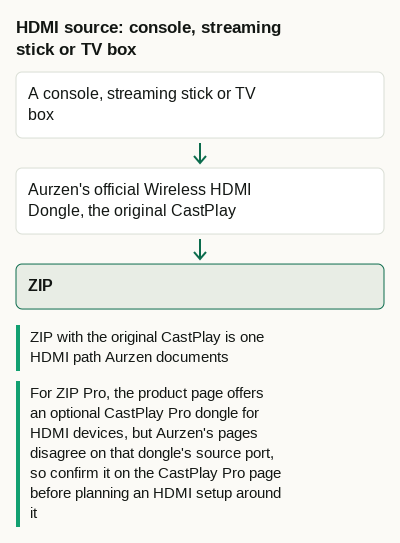
ZIP with the original CastPlay is one HDMI path Aurzen documents, since the CastPlay help center ties that dongle to the ZIP projector. For ZIP Pro, the product page offers an optional CastPlay Pro dongle for HDMI devices, but Aurzen's pages disagree on that dongle's source port, so confirm it on the CastPlay Pro page before planning an HDMI setup around it. A Nintendo Switch has a second route: Aurzen's blog says ZIP Pro supports direct USB-C projection from compatible Switch setups through DisplayPort Alt Mode, without a separate dock, and that compatibility may vary by device configuration.
Phone, tablet or laptop over USB-C
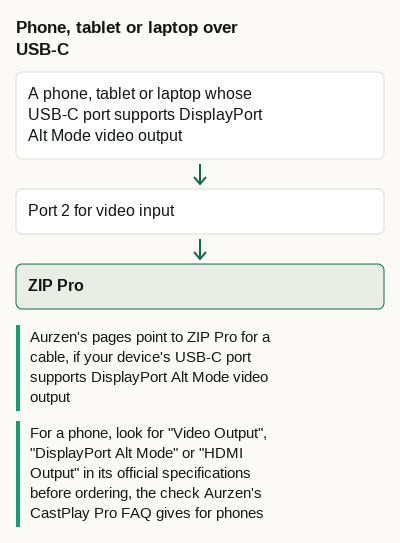
Aurzen's pages point to ZIP Pro for a cable, if your device's USB-C port supports DisplayPort Alt Mode video output. For a phone, look for "Video Output", "DisplayPort Alt Mode" or "HDMI Output" in its official specifications before ordering, the check Aurzen's CastPlay Pro FAQ gives for phones. Aurzen's blog says USB-C iPhone models may also use a wired connection to ZIP Pro if the phone, cable and application support external video output. On ZIP, Aurzen's help center describes Wi-Fi-free mirroring from the same kinds of device instead, and the ZIP page notes that Google Cast-enabled devices (Pixel, Motorola phones and Chromebooks) are not compatible.
iPhone or iPad over wireless
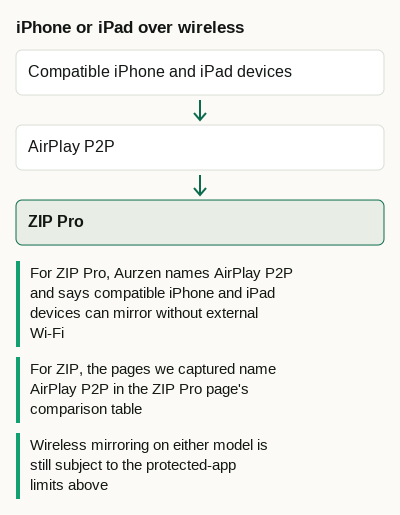
For ZIP Pro, Aurzen names AirPlay P2P and says compatible iPhone and iPad devices can mirror without external Wi-Fi (see the ZIP Pro section). For ZIP, the pages we captured name AirPlay P2P in the ZIP Pro page's comparison table (see the ZIP section). Wireless mirroring on either model is still subject to the protected-app limits above.
Watching away from a wall outlet
ZIP Pro carries the longer battery rating, up to 150 minutes in ECO Mode in Aurzen's 25°C lab test, while ZIP's rating states no test conditions (see the table). To charge while watching, Aurzen names a 65W+ USB-C PD source for ZIP Pro, and the ZIP help center says a 24W or higher PD adapter enables it on ZIP.
Limits and checks before you buy
Every product fact here comes from Aurzen's own pages, captured on 17 November 2026:
- ZIP product page
- ZIP help center
- original CastPlay help center
- ZIP Pro product page
- ZIP Pro feature page
- ZIP Pro blog post
- CastPlay Pro product page
Each figure is Aurzen's rating or wording, and where a page is silent, the guide says so rather than filling the gap. Prices, offers, stock, shipping, warranty, customer reviews and other brands are outside its scope.
Questions to put to Aurzen before ordering:
- Whether the original CastPlay works with ZIP Pro (see the accessories section).
- The wattage of the Power Adapter Kit in the ZIP Pro box, if you want to charge while watching.
- What is in the box in your region, since Aurzen says included items may vary by region or production batch.
- Which connection Aurzen supports for the protected app you care about on your device, if that app is the reason you are buying.
Before you decide
The honest trade-offs.
Strengths
- With an HDMI source such as a console, streaming stick or TV box, one path Aurzen documents is ZIP plus the original CastPlay, its Wireless HDMI Dongle.
- With a phone, tablet or laptop whose USB-C port supports DisplayPort Alt Mode video output, Aurzen says ZIP Pro takes the picture by cable on its second USB-C port.
- ZIP Pro carries the longer battery rating, up to 150 minutes in ECO Mode in Aurzen's 25°C lab test, while ZIP's rating states no test conditions (see the table).
Trade-offs
- Neither projector comes with streaming apps built in, per Aurzen, so protected apps depend on the device you connect and how you connect it.
- A Pixel 8 or newer owner should not count on protected apps through the original CastPlay on ZIP.
- For ZIP Pro, the product page offers an optional CastPlay Pro dongle for HDMI devices, but Aurzen's pages disagree on that dongle's source port, so confirm it on the CastPlay Pro page before planning an HDMI setup around it.
- Aurzen rates ZIP Pro at up to 200 ANSI lumens and says it is designed primarily for dark or light-controlled environments.
- To charge while watching, Aurzen names a 65W+ USB-C PD source for ZIP Pro, and the ZIP help center says a 24W or higher PD adapter enables it on ZIP.
Not sure yet? Other Home cinema & audio categories are not covered yet; the directory lists them.
The research behind the picks.
Clear sources. Honest limits.
What we verified
Research-based category. Ports, accessories, battery figures and stated limits come from Aurzen's own product, help center, landing and blog pages, captured on 2026-11-17 as plain page text without JavaScript; we did not set up, run or measure either projector. We read Aurzen's affiliate program FAQ on aurzen.com. Aurzen's terms of sale refer to Aurzen Inc. and/or its affiliates and to California law; we have not checked a business registry. Prices, stock and customer reviews are not covered, and no product has been tested.
What we haven't tested
The guide states in its own section what we have not verified yet.
Read that sectionHow we're funded
Some merchant links may earn a commission. Shop links point directly to the merchant and are marked sponsored; links that cite a merchant page as a source are plain links. Verdicts are never for sale.
Affiliate disclosureSources
- Aurzen ZIP product page on aurzen.comAccessed 17 Nov 2026
- Aurzen ZIP Pro product page on aurzen.comAccessed 17 Nov 2026
- Aurzen ZIP Projector Help Center on aurzen.comAccessed 17 Nov 2026
- Aurzen CastPlay Wireless HDMI Dongle Help Center on aurzen.comAccessed 17 Nov 2026
- Aurzen ZIP Pro landing page on aurzen.comAccessed 17 Nov 2026
- Aurzen blog post on the ZIP Pro launch on aurzen.comAccessed 17 Nov 2026
- Aurzen CastPlay Pro Wireless USB-C Dongle product page on aurzen.comAccessed 17 Nov 2026
Research log
- Guide published.
- Research pass updated. Specifications captured from the maker's own pages.
Every change to the picks gets a dated line here.
Found an error? We correct fast and date every correction. Tell us · Read the methodology
Keep exploring
Where to go next.
More in Home cinema & audio
Projector screens & mountsLater
Portable speakersLater
The department in the directoryDirectory